Wireless suits renters and fast installs; wired delivers stable, 24/7 pro-grade security.
If you are stuck between a wireless CCTV camera vs wired, you are not alone. I have helped families, shop owners, and IT teams pick the right path for years. In this guide, I break down the real trade-offs between wireless and wired CCTV. You will get clear answers, real examples, and tips that save time and money. By the end, you will know which option fits your space, budget, and peace of mind.
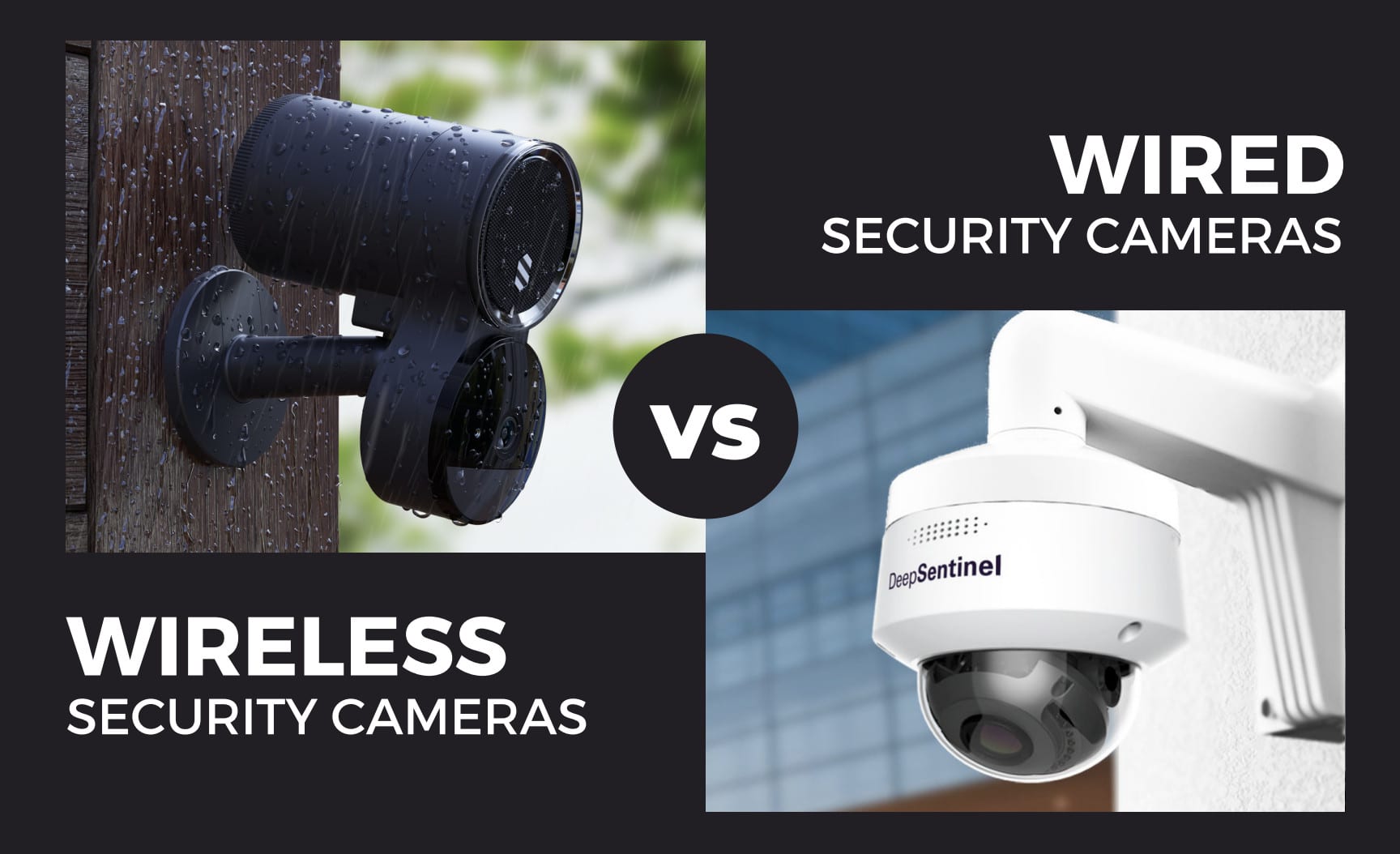
Wireless CCTV Camera vs Wired: The Core Differences
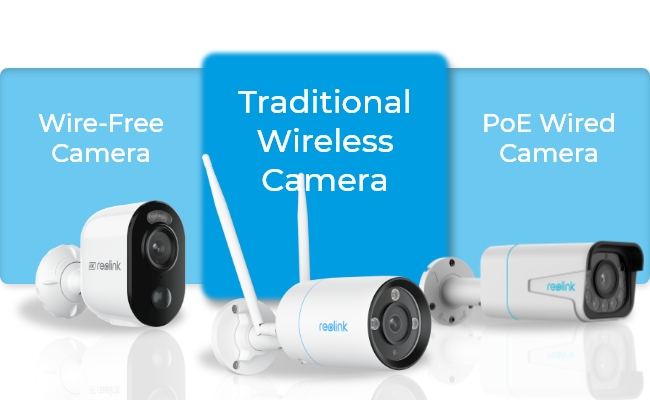
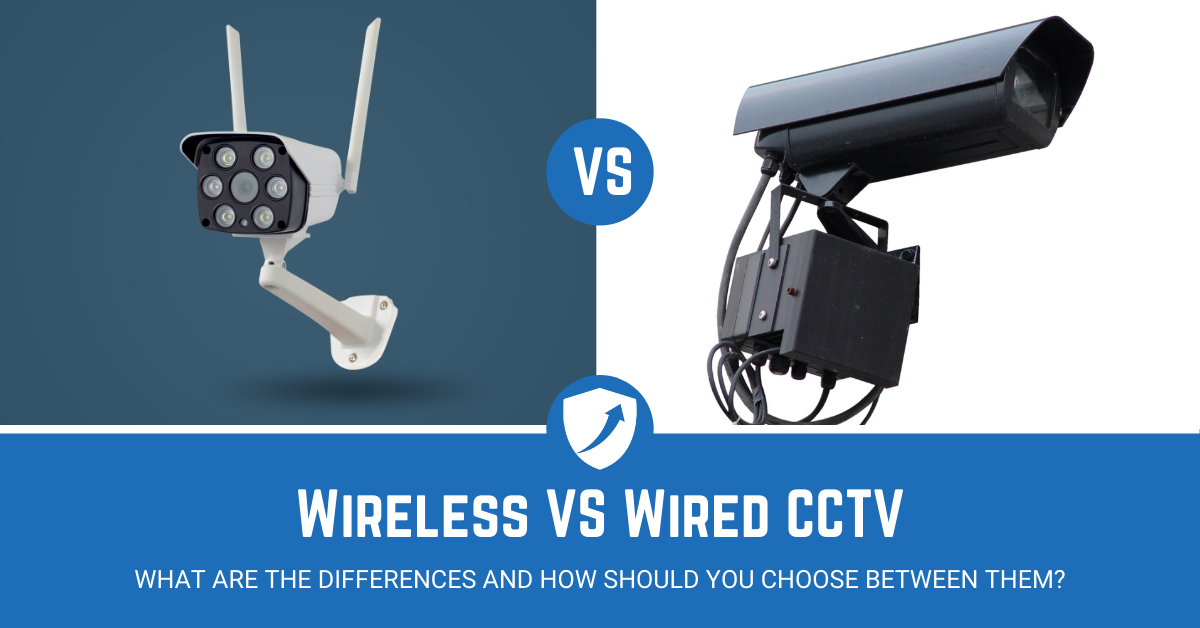
When people ask me about a wireless CCTV camera vs wired, I look at three things first. Power, network, and reliability. Wireless cameras send video over Wi‑Fi and often run on batteries. Wired cameras use Ethernet or coax and get power from a cable or PoE.
Here is the quick way to frame your choice:
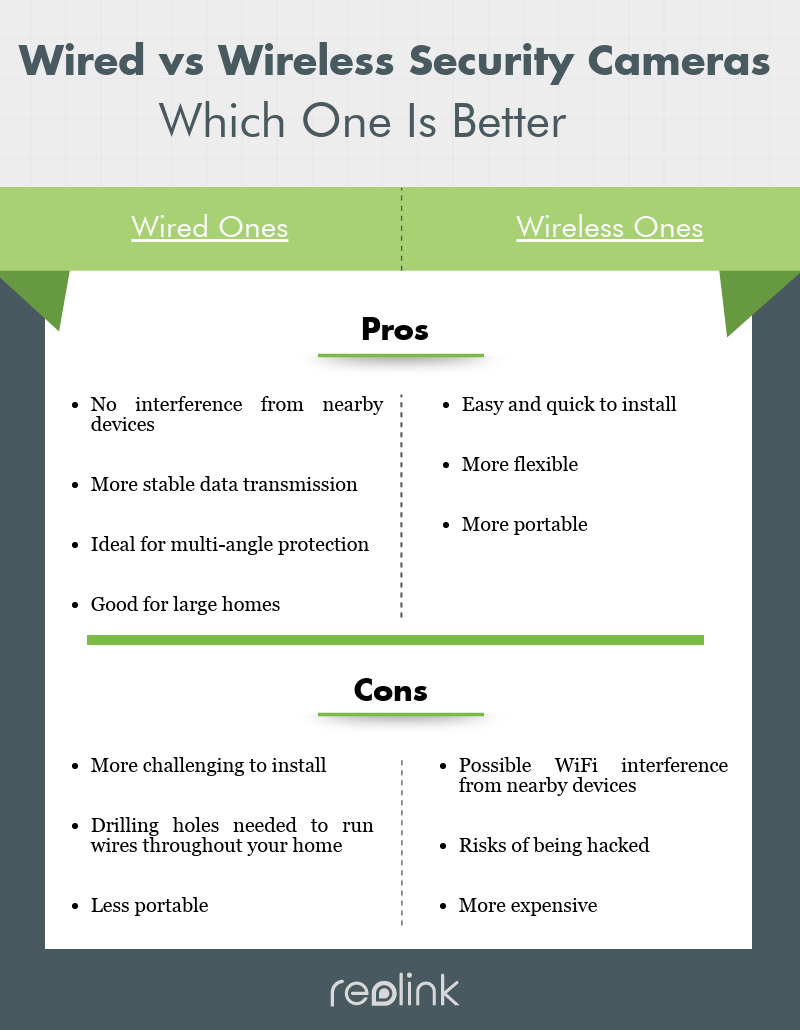
- Pick wireless if you need a fast, clean install with zero drilling.
- Pick wired if you want constant uptime, 4K video, and no Wi‑Fi fuss.
Over years of installs, both have a place. The right pick depends on your walls, your internet, and your tolerance for tinkering. The wireless CCTV camera vs wired decision is not one-size-fits-all. It is about trade-offs you can live with.
How Each System Works
Wireless CCTV cameras
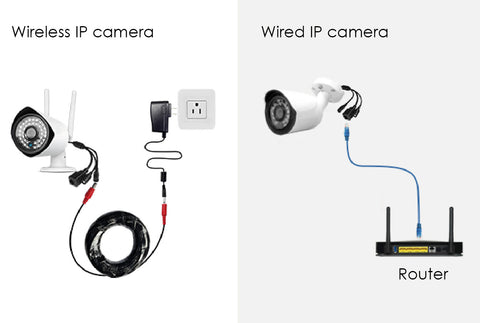
Wireless cameras connect to your Wi‑Fi or a hub. Some run on batteries, others plug into an outlet. They send video to a cloud, a base station, or your phone. Setup is quick. You scan a QR code and join your network.
Wired CCTV cameras
Wired cameras use Ethernet with PoE or coax to a DVR/NVR. Power and data travel over a cable. Video is stable and does not depend on Wi‑Fi. Setup takes time because you run cables to each camera.
In a wireless CCTV camera vs wired comparison, the inner workings matter. The radio in wireless cameras can drop under heavy traffic. Cables in wired setups do not care about that. That is why many pro sites still choose PoE.
Performance: Video Quality, Latency, and Uptime
I test systems in the field and at home. Here is what stands out in a wireless CCTV camera vs wired test.
- Video quality: Wired PoE cameras handle 4K at high bitrates with ease. Many wireless models cap lower to avoid Wi‑Fi drops. You can do 2K or 4K on Wi‑Fi, but the stream often compresses more.
- Latency: Wired feeds feel instant on a local NVR. Wireless adds delay, which you notice when you pan or talk through a camera.
- Uptime: Wired cameras hold steady through storms and busy evenings. Wireless can falter when your router is stressed or far away.
Industry tests show wired links yield fewer dropped frames and fewer artifacts. That is the edge you feel at night when motion events matter most.
Installation, Cost, and Hidden Fees
The real cost in a wireless CCTV camera vs wired setup is not just gear. It is time, tools, and ongoing fees.
What drives cost for wireless:
- Fewer tools. Most installs take under an hour.
- Battery replacements. Expect to swap or charge every few months if motion is heavy.
- Cloud plans. Many brands lock advanced features behind a subscription.
What drives cost for wired:
- Cable runs. Attic or conduit work adds labor.
- PoE switch and NVR. Upfront cost is higher, but storage is local and free.
- Once it is in, it is low maintenance. No batteries. No monthly fees unless you add cloud backup.
If you change homes soon, wireless can be cheaper overall. If you will stay for years, wired often wins on total cost of ownership.

Power, Batteries, and Uptime Strategy
Power is the heart of the wireless CCTV camera vs wired debate. No power, no video.
- Battery wireless: Easy to mount, but easy to forget. Cold weather and frequent motion drain faster. Keep a spare battery or a charging cycle.
- Plug-in wireless: No battery worry, but you still rely on Wi‑Fi. Use a surge protector and keep the power brick dry.
- PoE wired: One cable brings power and data. Add a UPS to your switch and NVR for clean uptime during brief outages.
Pro tip from many installs: A PoE switch on a UPS keeps cameras and storage up when your router reboots. That can save a key clip.
Security, Privacy, and Network Risks
Security is where I see the largest gaps. A wireless CCTV camera vs wired setup stores and sends data in different ways.
- Wireless risks: Weak Wi‑Fi passwords, old routers, and guest devices can cause leaks. Use WPA3 or at least WPA2. Put cameras on a separate SSID or VLAN.
- Wired strengths: Cameras sit on a local LAN with no radio link to attack. Still, change default passwords. Update firmware on a schedule.
- Cloud vs local: Cloud is simple and remote-friendly. Local NVRs keep footage in your house. Many brands now offer end-to-end encryption and 2FA. Use them.
Always assume your video is sensitive. Treat your camera like a laptop on your network. Good hygiene goes a long way.
Storage and Bandwidth: Cloud, NVR, and Hybrid
Storage can make or break your plan. It shapes cost, speed, and access.
- Cloud storage: Easy setup and remote sharing. Uses your upload bandwidth. Check caps. Plans vary by days of history and features like AI detection.
- Local NVR: High capacity and no monthly fees. Faster scrubbing on your network. Use a surveillance-grade hard drive.
- Hybrid: Record locally and mirror clips to the cloud. This gives off-site backup for break-ins or disasters.
In a wireless CCTV camera vs wired setup, I use cloud for casual home use and NVR for shops and long retention. Hybrid is best when budget allows.

Best Use Cases: Match the System to the Space
Use what fits your life. Here is how I guide clients in a wireless CCTV camera vs wired conversation.
Pick wireless when:
- You rent or cannot drill.
- You want a weekend install.
- You monitor a porch, a driveway, or a small shop.
Pick wired when:
- You need 24/7 recording and 4K detail.
- You have large lots, long corridors, or thick walls.
- You want low latency and long retention.
Mixing both can be smart. I often pair a wired backbone with one or two wireless units for outbuildings or quick coverage gaps.

My Field Notes: Lessons, Mistakes, and Pro Tips
From real jobs, here are the wins and the gotchas in a wireless CCTV camera vs wired rollout.
- Router load matters. On one Wi‑Fi job, five cameras crushed the 2.4 GHz band. Moving two to 5 GHz and lowering the bitrate fixed drops.
- Height and angle beat megapixels. A 4K shot from 20 feet away lost key face detail. Moving the wired camera to 9 feet solved it.
- Plan for the night. Add a small dusk-to-dawn light near key views. Both wireless and wired cameras give cleaner motion clips with more light.
- Label every cable. Future you will thank you. Match ports to cameras on the NVR.
- Test before you mount. Stream the feed on a ladder. Walk the path. Check motion zones and Wi‑Fi strength or PoE link quality.
These small steps save hours and reduce false alerts. They make any wireless CCTV camera vs wired system feel pro.
Frequently Asked Questions of wireless cctv camera vs wired
Which is more reliable: wireless or wired?
Wired is more reliable for 24/7 use because it avoids Wi‑Fi issues. It also handles higher bitrates with low latency.
Do wireless cameras work without internet?
They need local Wi‑Fi for the app and often internet for cloud. Some record to SD cards, but remote viewing will be limited.
Can wireless cameras be hacked more easily?
Any device can be at risk if misconfigured. Use strong passwords, 2FA, and VLANs to reduce risk on both wireless and wired systems.
Is 4K video better on wired systems?
Yes, most 4K streams are cleaner on PoE due to stable bandwidth. Wireless can do 4K, but compression and drops are more common.
What is the best choice for a large home?
For a large space, wired PoE is best for stability and reach. Add wireless units only where cabling is tough.
How many cameras can my Wi‑Fi handle?
It depends on your router and network noise. In general, keep it to a few streams per band and tune bitrate for stability.
Do I need a subscription for recording?
Many wireless brands require a plan for cloud features. Wired NVRs store locally with no monthly fee.
Conclusion
Choosing a wireless CCTV camera vs wired comes down to your space, your time, and your tolerance for glitches. Wireless wins for speed, flexibility, and rentals. Wired wins for stable 4K, low delay, and round‑the‑clock uptime. If you can run cable, do it. If not, pick strong wireless gear, secure your network, and place cameras with care.
Take the next step today. Map your key views, set your budget, and decide where you need the most reliability. Want more help? Subscribe for field-tested tips, or drop a comment with your layout and goals.