Wyze Cam packs more features and value; Blink Mini is simpler and great with Alexa.
If you are weighing Blink Mini vs Wyze Cam, you are in the right place. I test and install smart cameras for a living, and I’ve run both in real homes for months. This guide cuts through specs and sales talk. You will get clear answers, real-life tips, and honest trade-offs so you can pick the camera that fits your space, budget, and peace of mind.
Blink Mini vs Wyze Cam: What really matters
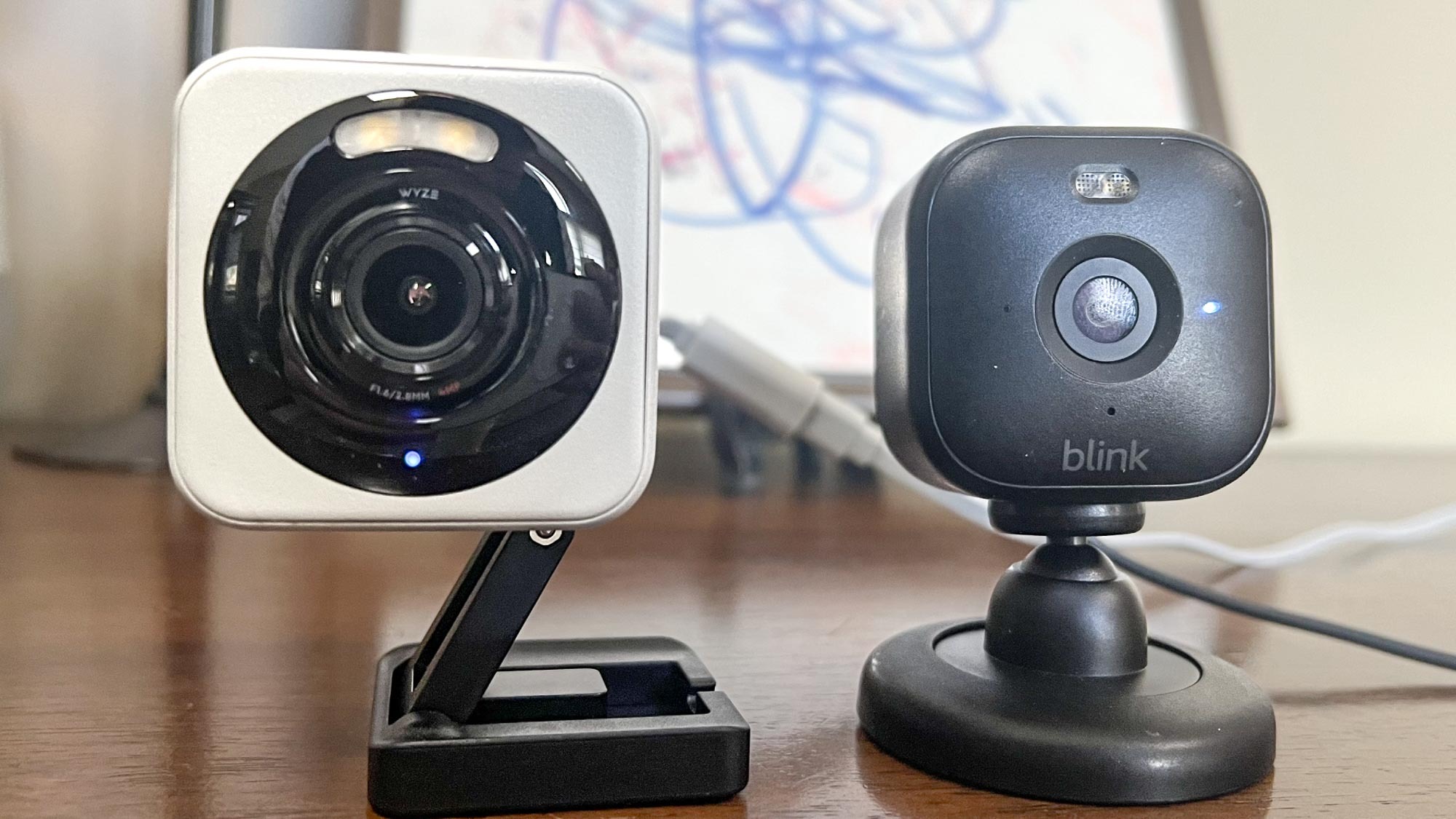
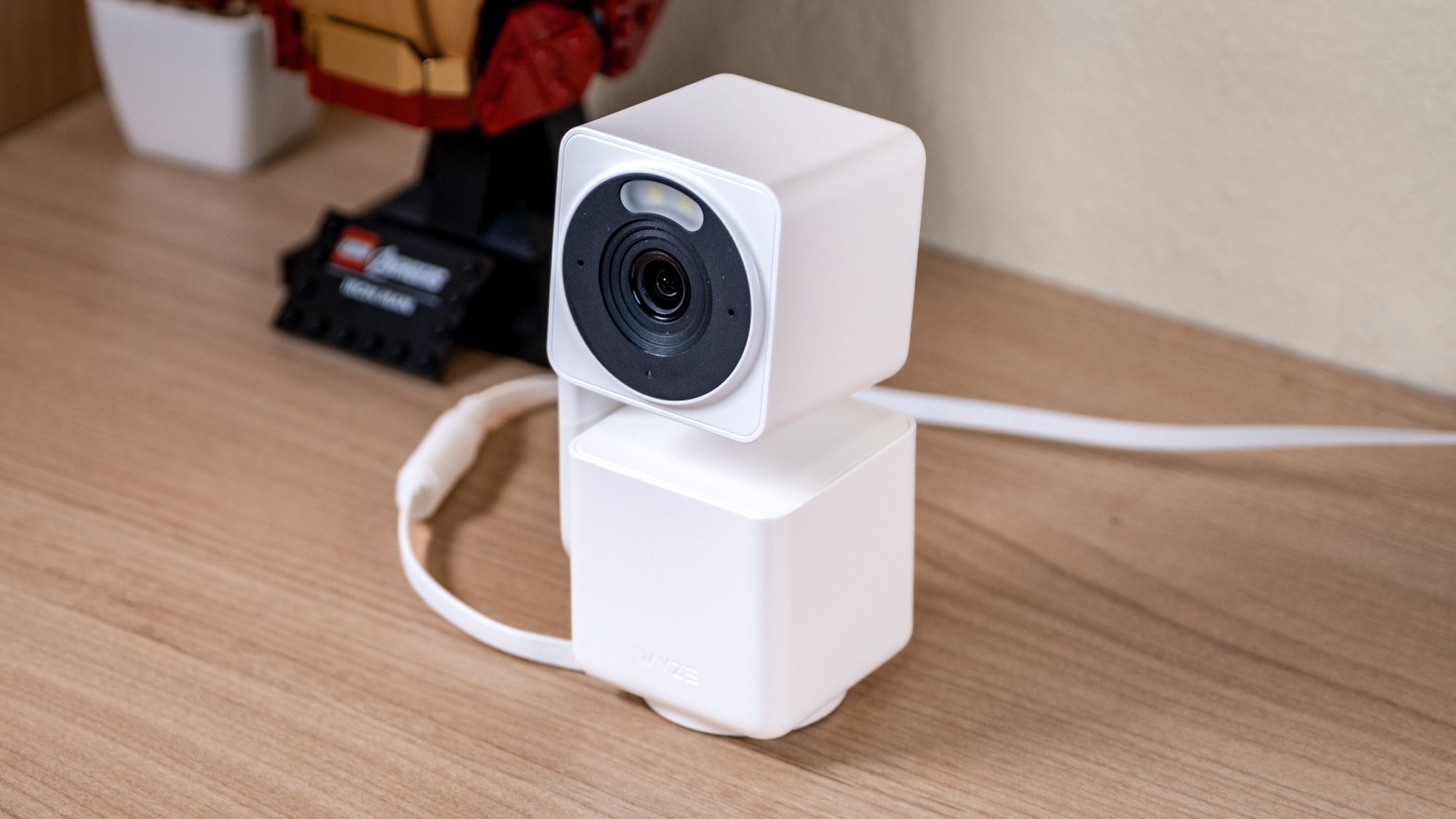
Blink Mini vs Wyze Cam is a choice between ease and features. Blink Mini is an indoor-only, no-fuss camera. Wyze Cam brings more tools for about the same price and can handle outdoor duty. Both shoot 1080p video and send fast alerts.
Here is the short version from hands-on use:
- Blink Mini is best if you want simple setup, Alexa, and low hassle.
- Wyze Cam is best if you want local microSD, color night vision, and more controls.
- Both are cheap to buy, but long-term cost depends on storage.
If you are deep in Alexa, Blink Mini feels natural. If you want the most features per dollar, Wyze Cam wins most days. For many homes, one of each is a smart mix.

Video quality and night vision
Blink Mini vs Wyze Cam both do 1080p. In bright light, both look crisp. Wyze Cam shows a wider view, which helps in large rooms. It also holds detail better near windows and doors.
At night, Wyze Cam’s starlight sensor can show color at night with some ambient light. That is a big plus for faces and clothing. Blink Mini relies on IR night vision. It is clean and clear, but it stays in black and white.
My experience:
- In my garage, Wyze Cam handled dim light and gave color most evenings.
- In my hallway, Blink Mini’s IR looked sharp and had less grain, but no color.
If you need IDs in low light, Wyze Cam has the edge. If your room is well lit at night, both work fine.
Audio, alerts, and detection accuracy
Blink Mini vs Wyze Cam both have two-way audio. Both can hear well in a quiet room. Wyze Cam is louder on the speaker side. Blink Mini sounds a bit softer but is clear enough for quick chats.
Motion alerts:
- Blink Mini gives fast motion alerts with adjustable zones.
- Wyze Cam adds sound detection and can flag more event types with its plan.
False alerts happen with reflections and moving trees. Aim down from 6 to 7 feet high and avoid glass to cut false pings. In my tests, Wyze Cam sent more alerts out of the box because it sees more of the room. After I set zones, both were steady and helpful.

Smart home integration
Blink Mini vs Wyze Cam differ a lot here. Blink Mini works best with Alexa. You can arm and disarm by voice, view on Echo Show, and use routines. It is smooth and stable.
Wyze Cam works with Alexa and Google Assistant. You can cast to smart displays and add automation. Neither supports Apple HomeKit. For IFTTT types, Wyze also plays nicer with third-party links.
If you live in an Alexa home, Blink Mini feels native. If your home mixes Google and Alexa, Wyze Cam is more flexible.
Storage and subscriptions
Storage is the heart of Blink Mini vs Wyze Cam. It drives cost and features over time.
Blink Mini:
- Without a plan: live view, motion alerts, limited clip options.
- With Blink Subscription: saves clips to the cloud and adds rich features.
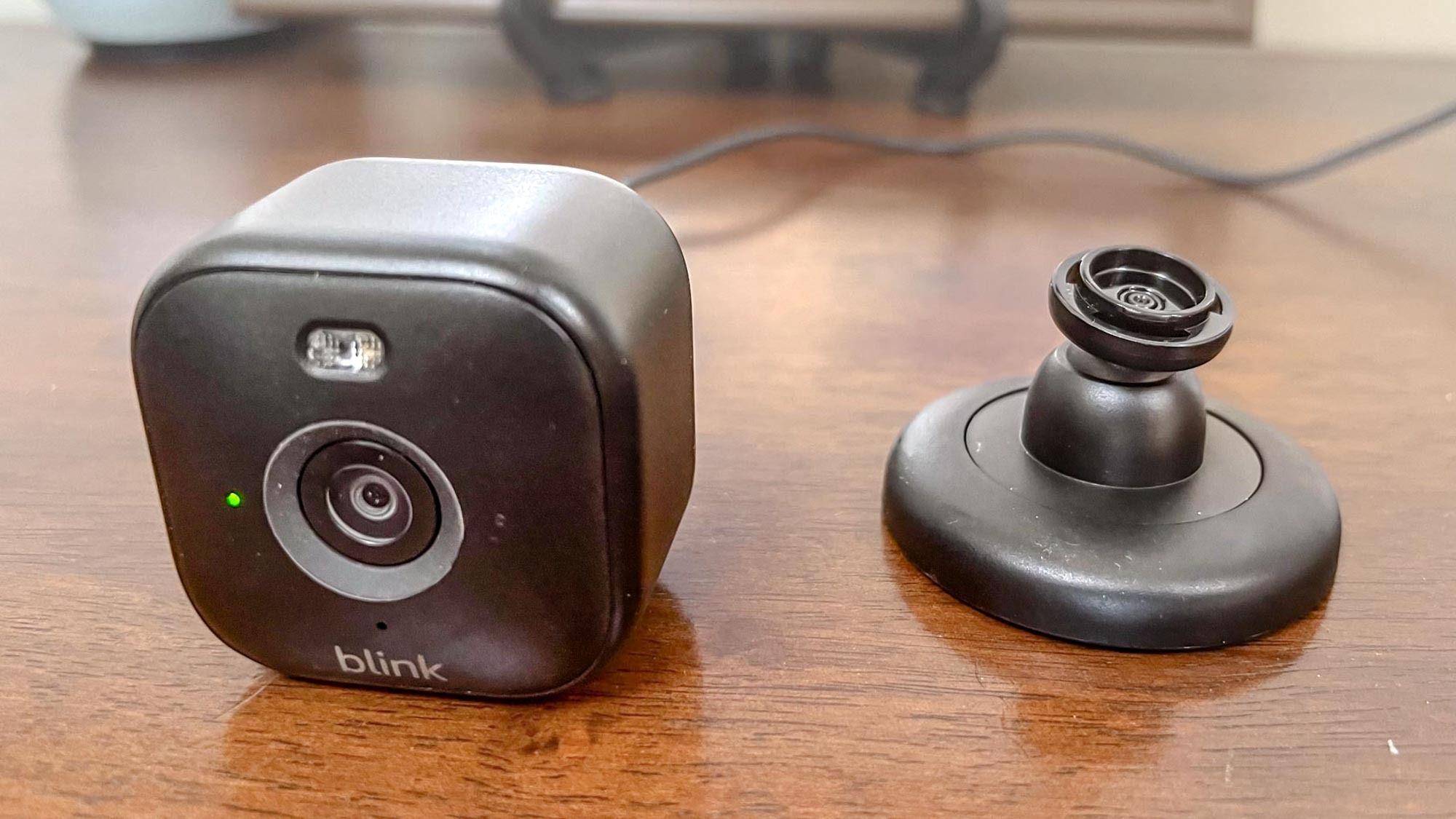
- Local option: add a Sync Module 2 and a USB drive for local motion clips. It is not 24/7 continuous.
Wyze Cam:
- microSD card slot for local, 24/7 recording and time-lapse.
- Cloud plans add smart detection and longer event clips.
- You can run local-only if you want, which many privacy-minded users like.
My tip: If you want 24/7 history, Wyze Cam with a high-endurance microSD is hard to beat. If you prefer simple cloud clips and a small USB drive in a hub, Blink Mini works well.

Privacy, security, and trust
Privacy matters in Blink Mini vs Wyze Cam. Both use encryption and two-factor authentication. Both improve their apps often. They also have had different levels of public scrutiny.
Wyze faced service incidents in recent years, including one in 2024 that drew headlines. The company has since added more safeguards and notices. Blink is under Amazon’s umbrella and keeps tight integration with Alexa’s security features. No brand is perfect. Keep firmware up to date and use strong, unique passwords.
If you worry about cloud exposure, Wyze Cam with local-only microSD is a strong model. If you trust the Amazon stack and want simple controls, Blink Mini fits.
Reliability and real-life performance
Here is how Blink Mini vs Wyze Cam held up in my installs.
What went right:
- Blink Mini stayed online for months with almost zero fuss.
- Wyze Cam kept recording during brief internet drops, thanks to the microSD.
Where things got messy:
- Wyze Cam microSD cards can wear out from 24/7 writes. Use high-endurance cards and format them in the app a few times a year.
- Blink Mini needs the Sync Module 2 for local saves. If you forget that, you only have cloud clips with a plan.
Latency was low on both. Live view loads fast on strong Wi‑Fi. Place the router near the center of the home and avoid metal shelves.

Setup, placement, and network tips
A smooth setup helps both sides of Blink Mini vs Wyze Cam.
Simple checklist:
- Pick 2.4 GHz Wi‑Fi for best range and stability.
- Mount the camera 6 to 7 feet high. Angle it down.
- Avoid pointing at windows and bright lights.
- For Wyze, choose a 32 to 128 GB high-endurance microSD for 24/7 recording.
- For Blink, plan where the Sync Module will sit if you want local storage.
Pro tip from installs: name your cameras by room and task. Kitchen-Door, Garage-West, Nursery-Crib. It makes it easy to search and share.
Price, value, and total cost of ownership
Price is close in Blink Mini vs Wyze Cam, but value shifts with storage needs.
Upfront cost:
- Blink Mini is very affordable, and it goes on sale often.
- Wyze Cam is also low-cost and may include outdoor-ready parts at times.
Long-term cost:
- Blink plan adds monthly fees unless you stick to local USB on a Sync Module 2.
- Wyze Cam can run local-only with microSD and no monthly bill. Cloud AI costs extra if you want it.
Do the math for a year and for two years. Storage choices often change which camera is the “cheap” one.
Which should you buy?
Here is the honest pick list for Blink Mini vs Wyze Cam.
Choose Blink Mini if:
- You use Alexa and want a camera that “just works.”
- You prefer clean, simple apps and alerts.
- You want quick indoor coverage with minimal setup.
Choose Wyze Cam if:
- You want color night vision and a wider field of view.
- You want 24/7 microSD recording and time-lapse.
- You use Google Assistant or want more automation options.
My house? I use Wyze Cam in my garage and porch for low-light detail and local video. I use Blink Mini in the kitchen and hallway for easy alerts and Alexa routines.
Common use cases and best-fit advice
Real rooms call for real picks in Blink Mini vs Wyze Cam.
- Apartment living room: Blink Mini for fast setup and clear alerts. No drilling needed.
- Front window facing street: Wyze Cam placed inside but not pointed through glass. IR can bounce on glass, so turn off IR if needed and use a small LED night light for color.
- Garage or entry at night: Wyze Cam for color night vision and wider view.
- Nursery check-in: Blink Mini for stable live view and Alexa displays.
If you travel often, consider a mix. Put Wyze where you need detail and history. Put Blink where you want fast checks and simple control.
Mistakes to avoid and pro tips
These save time and stress in Blink Mini vs Wyze Cam setups.
- Do not stick cameras behind glass. IR glare ruins night shots.
- Do not cheap out on microSD cards. High-endurance only for Wyze Cam.
- Do not forget upload speed. Aim for at least 5 Mbps up for smooth multi-cam streaming.
- Do set motion zones right away. Cut false alerts by 50% or more.
- Do label power bricks and cables. Future you will thank you.
One more tip: test your angle with a friend walking through. Record a clip. Adjust. Small tweaks can double the useful detail.
Alternatives worth a look
If Blink Mini vs Wyze Cam still feels close, peek at a few rivals.
- TP-Link Tapo: strong local storage, low price, simple app.
- Eufy: local-first models, no mandatory cloud, good image quality.
- Google Nest Cam Indoor: polished app, rich alerts, higher price.
These help if you need HomeKit-like polish, more AI, or a different privacy stance. But for tight budgets, Blink Mini vs Wyze Cam still rules the value tier.
Frequently Asked Questions of Blink Mini vs Wyze Cam
Is Wyze Cam better than Blink Mini for night vision?
Wyze Cam offers color night vision in low light and sees more of the room. Blink Mini’s IR looks clean but stays in black and white.
Does Blink Mini support local storage without a subscription?
Yes, but you need a Sync Module 2 and a USB drive for local motion clips. It does not do 24/7 continuous recording.
Can Wyze Cam work without the internet?
It can record to a microSD card without the internet. You still need internet for remote viewing and notifications.
Which works with Google Assistant?
Wyze Cam works with Google Assistant and Alexa. Blink Mini focuses on Alexa and does not support Google Assistant.
Which is better for renters?
Blink Mini is easy to set up and move, so it is great for renters. Wyze Cam is also renter-friendly, especially if you want local-only recording.
Is Blink Mini outdoor-rated?
No, Blink Mini is indoor-only. Wyze Cam can handle outdoor use with its weather rating.
Conclusion
Blink Mini vs Wyze Cam comes down to your priorities. Blink Mini is calm, simple, and great with Alexa. Wyze Cam brings broader features, color night vision, and local 24/7 recording at a low price. Both are good; they just solve different problems.
Pick the one that fits your space, privacy comfort, and storage plan. Or mix them and cover every need. Ready to go deeper or need room-by-room help? Subscribe for more guides, ask a question in the comments, and build a home setup you trust.