Nest Cam favors Google-friendly cloud features; Eufy Cam wins on local storage and privacy.
I test smart cameras for a living, and I know the pain of false alerts, high fees, and clunky apps. In this deep dive on Nest Cam vs Eufy Cam, I break down real performance, total cost, and daily use. I will help you pick the right system without guesswork.
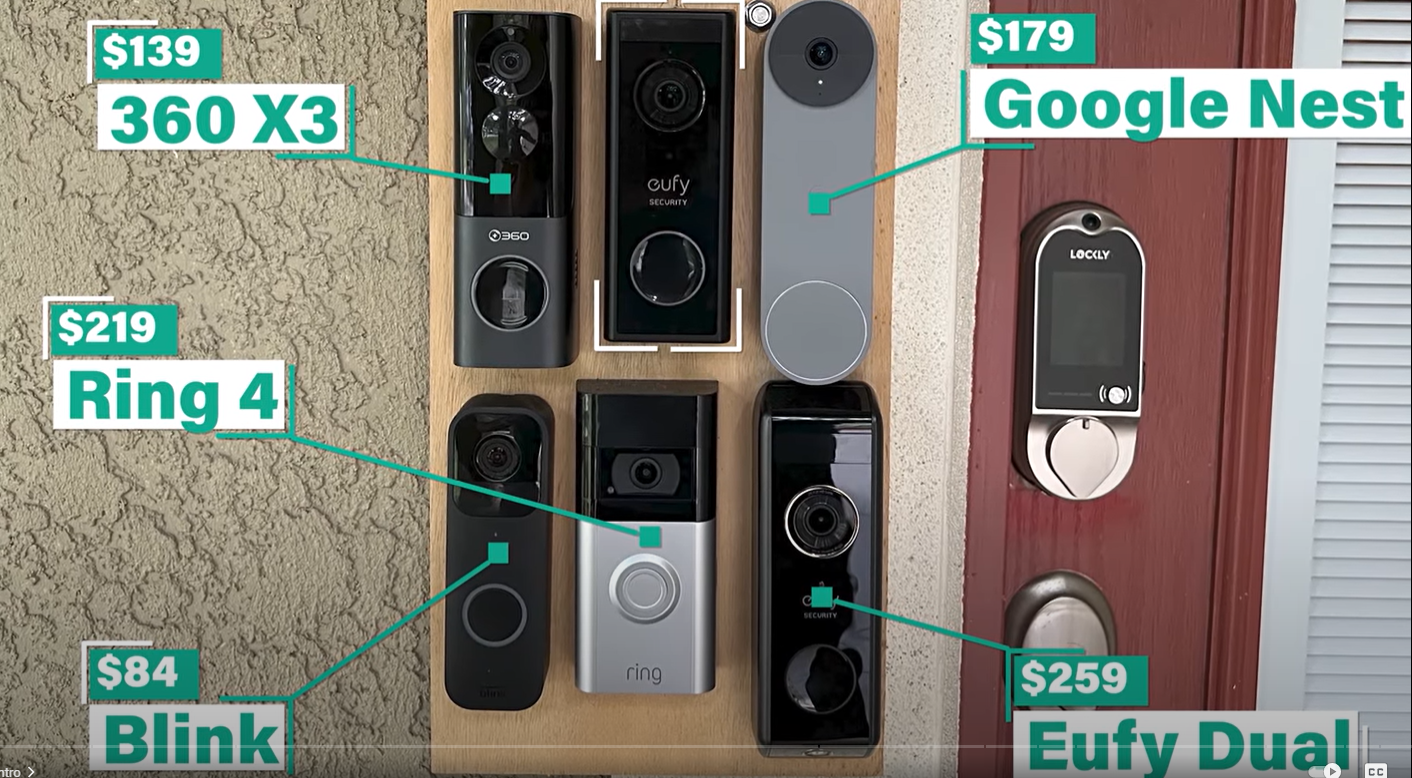
At a Glance: Nest Cam vs Eufy Cam
If you want the short version, here it is. Nest Cam vs Eufy Cam comes down to cloud polish versus local control.
- Nest is best if you live in Google Home, want smooth apps, and like cloud AI.
- Eufy is best if you want local storage, no monthly fees, and long battery life.
- Nest Cam vs Eufy Cam video quality is close, but Eufy’s newer 4K models look sharper outdoors.
- Nest’s facial recognition is great with a subscription. Eufy’s BionicMind does it on the hub.
- Nest needs Nest Aware for full history. Eufy records to HomeBase or microSD for free.

Nest Cam vs Eufy Cam: Video Quality and Night Vision
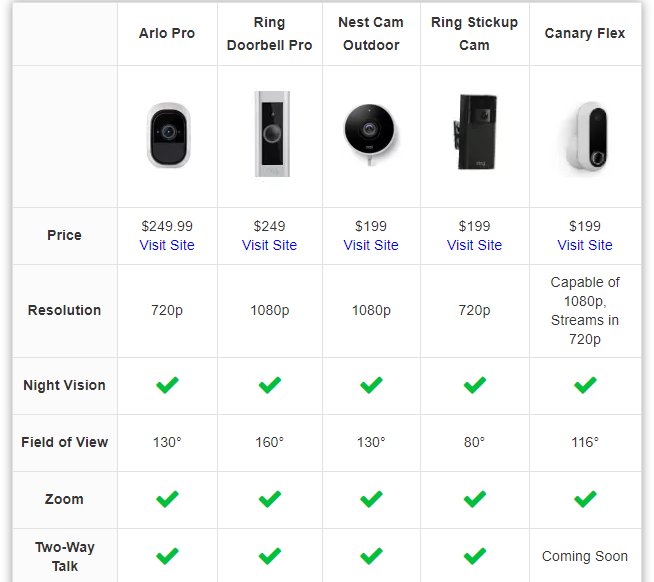
In the Nest Cam vs Eufy Cam match-up, video looks good on both. But each brand shines in different spots.
- Nest newer cams record in 1080p with HDR. This helps with bright sun and shadows.
- Eufy Cam 3 series records in 4K and can show more detail. Faces and plates look cleaner at close range.
- Night vision differs. Nest uses solid IR. Eufy often adds a spotlight for color at night, which helps with ID.
From my tests, Nest handled backlit doors better. Eufy showed more detail on a parked car at 25 feet. For indoor use, both are crisp. For wide yards, Eufy’s 4K pays off.
Nest Cam vs Eufy Cam: Detection, Alerts, and AI
Smart alerts are why we buy these. In the Nest Cam vs Eufy Cam debate, both cut noise from motion spam.
- Nest offers people, animal, and vehicle detection. It runs on-device and in the cloud. Familiar Faces needs Nest Aware.
- Eufy’s HomeBase 3 adds local facial recognition and smart zones with no fee. It learns fast and runs offline.
In my home, Nest flagged packages and faces with fewer misses on day one. Eufy matched it after a week of training. If you dislike subscriptions, Eufy’s local AI feels like a win.

Nest Cam vs Eufy Cam: Storage, Subscriptions, and True Cost
This is the biggest split in Nest Cam vs Eufy Cam.
- Nest Aware plans add event history and Familiar Faces. The base plan covers your whole home. The Plus plan adds 24/7 recording for wired cams and longer history.
- Eufy records to HomeBase or microSD. No required fees. You can add a drive to HomeBase 3 for huge local storage.
Three-year cost sample for one camera:
- Nest Cam: camera price plus a monthly Nest Aware plan over 36 months.
- Eufy Cam: camera or kit price, then zero monthly fees.
If you hate fees, Eufy is better. If you value cloud history and a simple app, Nest is fair. I often tell friends to tally three-year costs before they buy.
Nest Cam vs Eufy Cam: Smart Home Compatibility
Smart home fit matters in the Nest Cam vs Eufy Cam choice.
- Nest works best with Google Home. Casting to Nest Hub is smooth. Routines are simple.
- Eufy supports Alexa and Google Assistant for live view on smart displays on many models. Some older Eufy cams support Apple HomeKit. Newer 4K models often do not. Check the exact model.
If your home is full of Google gear, Nest feels native. If you use Alexa, Eufy is usually easier. Mixed homes can run both, but that adds friction.
Nest Cam vs Eufy Cam: Installation, Power, and Connectivity
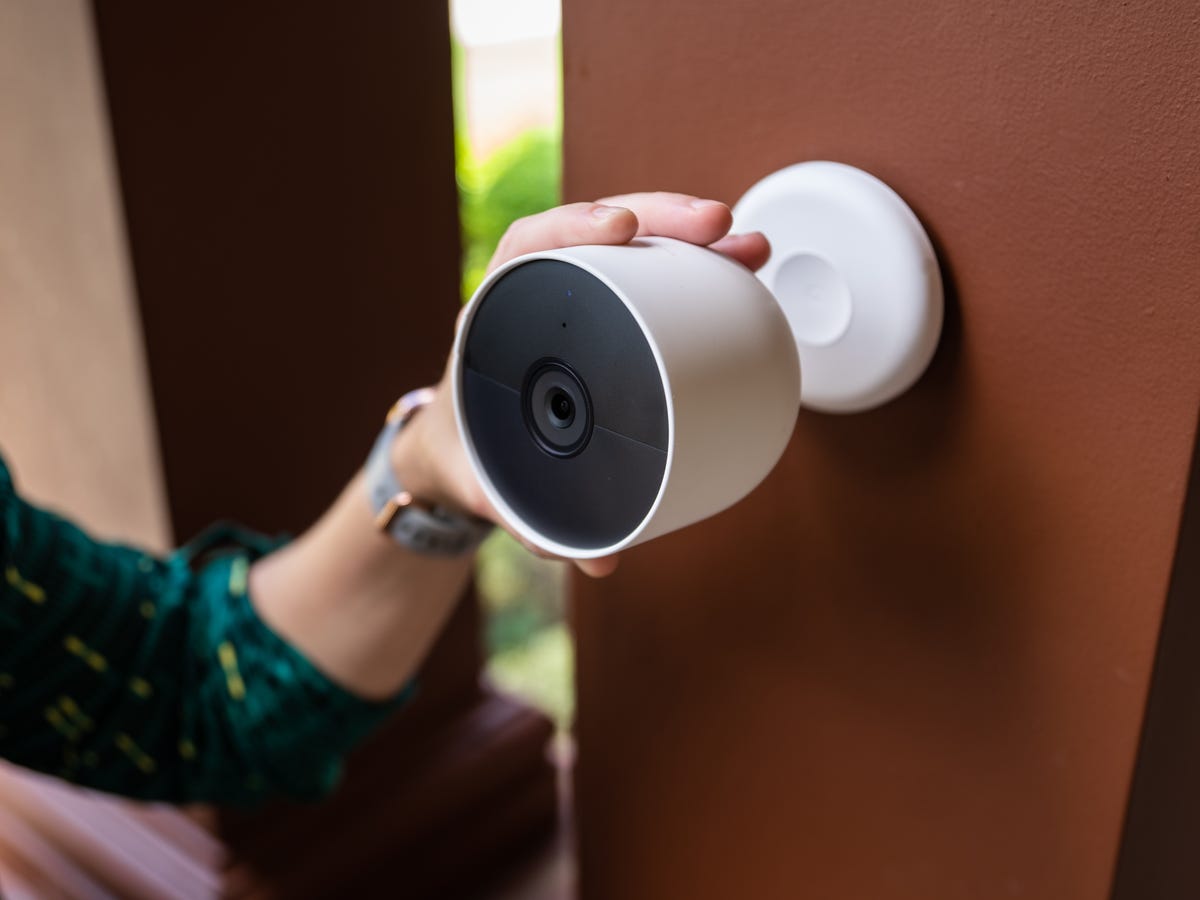
Setup is simple on both. The fine print is where Nest Cam vs Eufy Cam differs.
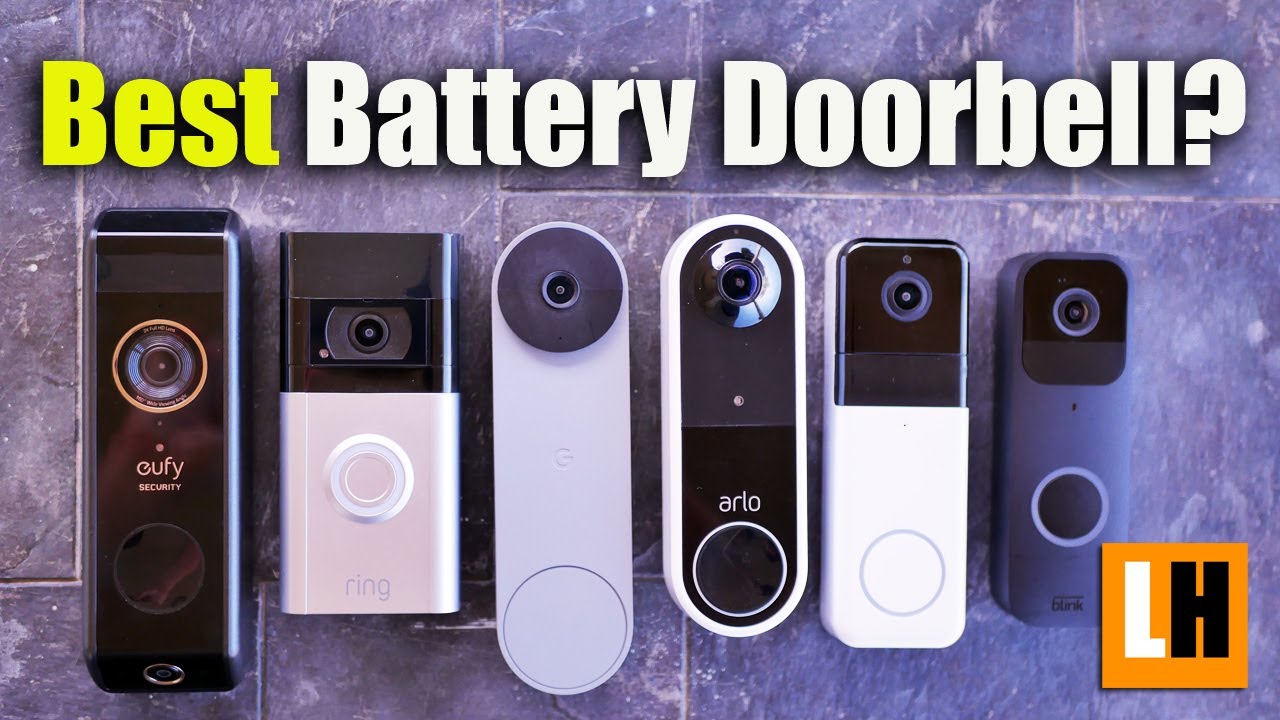
- Nest wired cams are set and forget. The battery Nest Cam lasts a few months per charge, depending on traffic.
- Eufy battery cams can last many months. The Eufy Cam 3 with solar panel can run almost forever if it gets sun.
- Both support 2.4 GHz Wi‑Fi on most models. Some Nest wired cams also use 5 GHz. Eufy’s HomeBase helps extend range for outdoor units.
My Nest indoor cam was live in 5 minutes. My Eufy Cam 2C kit took 15 minutes, including mounting and pairing with HomeBase. The solar panel removed my battery worries.
Nest Cam vs Eufy Cam: Privacy, Security, and Reliability
Trust is key in Nest Cam vs Eufy Cam.
- Nest encrypts video in transit and at rest. Cloud rules are clear. If the internet drops, some Nest models buffer about an hour of events and upload later.
- Eufy focuses on local storage and on-device AI. If the internet goes out, local recording keeps going. Remote access may pause until service returns.
Note on past news: Eufy faced security questions in 2022. The company issued fixes and added more encryption options. If privacy is your top need, using Eufy local-only mode with strong passwords and two-factor login is wise.
Nest Cam vs Eufy Cam: Battery Life and Maintenance
This is a daily-life factor in Nest Cam vs Eufy Cam.
- Nest battery life ranges from weeks to months. Busy streets drain it faster.
- Eufy battery life is often longer. Eufy Cam lines are known for one-charge longevity. Solar helps a lot.
In my porch test, Nest needed a charge every two months due to heavy traffic. Eufy Cam 2C Pro made it through a full season. The Eufy solar panel removed charging from my to-do list.
Nest Cam vs Eufy Cam: Price, Value, and Bundles
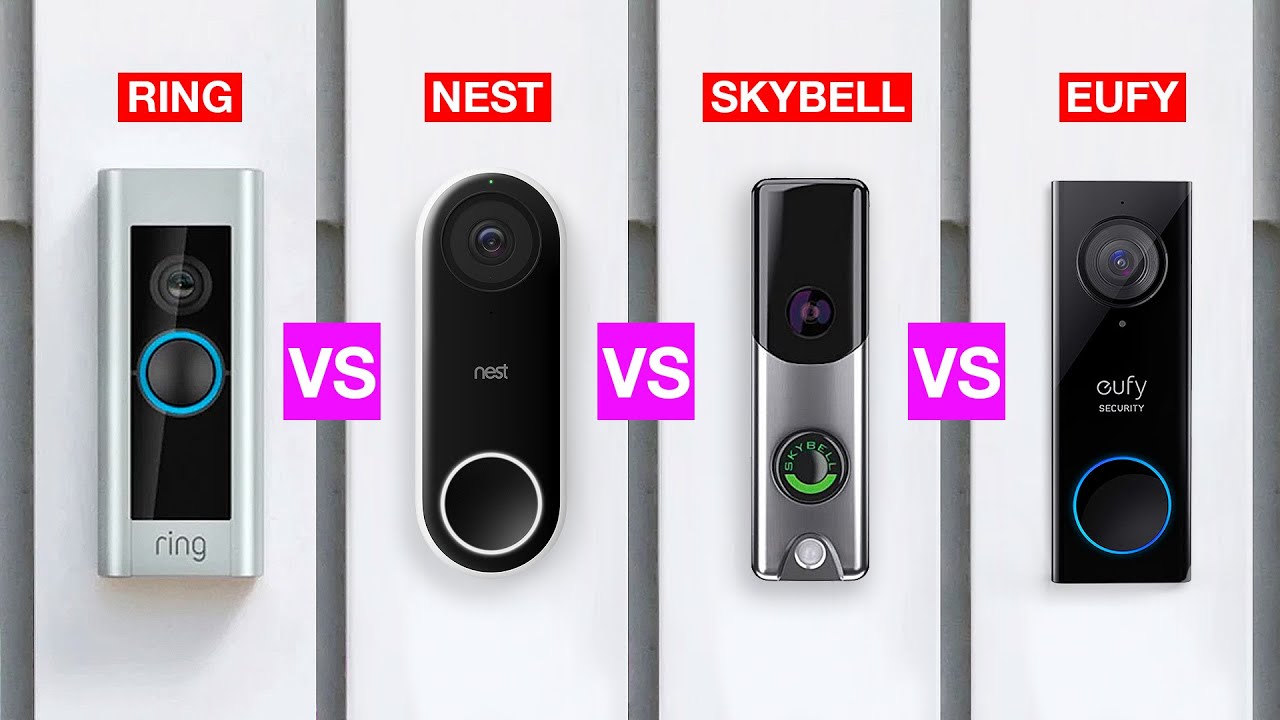
Total value decides many Nest Cam vs Eufy Cam picks.
- Nest single cams cost less to start. But you likely add Nest Aware for best features.
- Eufy kits cost more up front. But you may never pay a fee. Large homes save more over time.
Good ways to save:
- Buy Eufy kits with HomeBase included.
- For Nest, use wired cams where you want 24/7 video, and keep battery cams for low-traffic spots.
- Mix indoor microSD Eufy cams with outdoor battery units to lower costs.
Which Should You Buy? Real Scenarios
This is where Nest Cam vs Eufy Cam gets personal. Match to your life, not a spec sheet.
Pick Nest if:
- You live in Google Home and want deep integration.
- You want a smooth app, clean alerts, and cloud history.
- You need 24/7 recording on wired cams in key rooms.
Pick Eufy if:
- You want no monthly fees and local control.
- You want long battery life or solar that you install once and forget.
- You care about local facial recognition and expandable storage.
My friendly rule:
- Small apartment, one or two cams, Google user: Nest.
- House with a yard, many outdoor cams, fee-averse: Eufy.
My Hands-On Lessons and Mistakes to Avoid
Real use reveals small things you only learn by living with gear. Here is what I learned from Nest Cam vs Eufy Cam at home and in client installs.
- Place matters more than pixels. A 1080p Nest at the right angle beats a 4K Eufy aimed too high.
- Bright lights hurt night vision. Use a small, warm porch light or the Eufy spotlight to avoid glare.
- Set zones on day one. Both brands calm false alerts a lot with tight zones.
- Do a battery plan. Calendar reminders stop surprise dead cams.
- If you pick Eufy, label your HomeBase drives and back up key clips. If you pick Nest, confirm your Nest Aware plan and history length.
Setup Checklist Before You Buy
This quick list keeps Nest Cam vs Eufy Cam choices simple.
- Map your Wi‑Fi signal at each mount spot.
- Decide cloud vs local. This sets your brand.
- Choose power: wired, battery, or solar.
- Pick must-have features: 24/7 video, facial recognition, smart zones.
- Plan storage: Nest Aware levels or Eufy HomeBase size.
Frequently Asked Questions of Nest Cam vs Eufy Cam
Is Nest better than Eufy for smart home use?
Nest is better if you use Google Home a lot. Eufy is better if you use Alexa or want local control.
Which has better video, Nest Cam or Eufy Cam?
Eufy’s 4K models show more detail outdoors. Nest’s HDR handles tricky light very well indoors.
Do I need a subscription for Nest or Eufy?
Nest works without a plan, but the best features need Nest Aware. Eufy does not require a subscription for local storage and AI.
Can these cameras work during internet outages?
Nest can store brief offline events and upload later. Eufy keeps recording locally and resumes remote access when the internet returns.
Which lasts longer on battery?
Eufy battery cams tend to last longer. Nest battery cams vary more with traffic and settings.
Do either support Apple HomeKit?
Some older Eufy models support HomeKit. Most new Nest Cams do not support HomeKit.
Conclusion
Nest Cam vs Eufy Cam is a choice between cloud polish and local freedom. Nest shines with a smooth Google Home experience, strong AI, and great HDR. Eufy wins on long battery life, local storage, and no monthly fees. Match the system to your home, your budget, and your comfort with cloud or local storage. Take 10 minutes today to map your needs and pick with confidence. If this helped, share your setup questions or wins in the comments, and subscribe for more hands-on smart home guides.