CCTV cameras help keep our homes and businesses safe. But sometimes, the pictures they take are not clear. Blurry or dark images make it hard to see what is happening. In this article, you will learn easy ways to make CCTV camera images better. These tips are simple and work well for most cameras.
Why Image Quality Matters
Good image quality helps to see details clearly. It can help identify people or objects. Clear pictures also help police if there is a problem. Poor image quality can cause confusion and make the camera less useful.
Check Your Camera Lens
The camera lens is very important for clear images. Dirt, dust, or water on the lens can make pictures blurry. Clean the lens often with a soft cloth. Avoid touching the glass with your fingers. Fingerprints can leave smudges.
If your camera is outside, check the lens after rain or snow. Use a little water and a soft cloth to clean it. Do not use strong chemicals. They can damage the lens.
Adjust the Camera Position
The place where you put your camera matters. If the camera is too far, images will look small and unclear. If it is too close, some parts may not fit in the picture.
Try to place the camera at a good height, usually 8 to 10 feet. This helps to cover a wide area. Also, avoid pointing the camera directly at bright lights like the sun or street lamps. Bright lights can cause glare and make images hard to see.
Improve Lighting
Lighting is very important for good images. Cameras need enough light to show details. At night or in dark places, images may look grainy or unclear.
You can add lights near the camera area. Use soft white lights to avoid strong shadows. Motion-sensor lights work well. They turn on only when someone moves. This saves electricity and keeps the area bright when needed.
Use the Right Camera Settings
Many CCTV cameras have settings you can change. Adjusting these settings can improve image quality.
| Setting | What It Does | How to Adjust |
|---|---|---|
| Resolution | Makes images sharper by increasing pixels | Set to the highest resolution your camera supports |
| Brightness | Controls how light or dark the picture is | Adjust until the image looks clear, not too bright or dark |
| Contrast | Makes objects stand out more | Increase contrast to see edges better |
| Sharpness | Enhances details and edges | Increase sharpness slightly for clearer images |
| White Balance | Corrects colors to look natural | Set to auto or adjust to match lighting conditions |
Check your camera manual to find how to change these settings. Some cameras let you do this on a phone app or computer.
Use Better Cables and Connectors
Sometimes, low image quality is due to poor cables. Old or damaged cables can cause weak signals. This makes the image fuzzy or full of lines.
Use good quality cables for your CCTV system. If the camera is far from the recorder, use cables designed for long distances. Check connectors too. Loose or dirty connectors can cause problems.
Upgrade Your Camera
If your camera is old, it may not give good pictures. Newer cameras have better sensors and features. They can capture clearer images in low light and at long distances.
Consider buying a higher resolution camera. Cameras with at least 1080p resolution are good for most uses. If you want even better quality, look for 4K cameras. But remember, higher resolution needs more storage space for videos.

Credit: www.youtube.com
Keep Your System Updated
Many CCTV cameras use software to work. This software can get updates. Updates fix bugs and improve image quality. Check if your camera or system has updates available. Install them regularly.
Use Video Enhancement Software
Some software tools can improve CCTV images after recording. They can reduce noise, sharpen details, and adjust colors. You can find free or paid video editing programs for this.
These tools help if you cannot change camera settings or upgrade hardware. But they work best when the original video is not very bad.
Control Environmental Factors
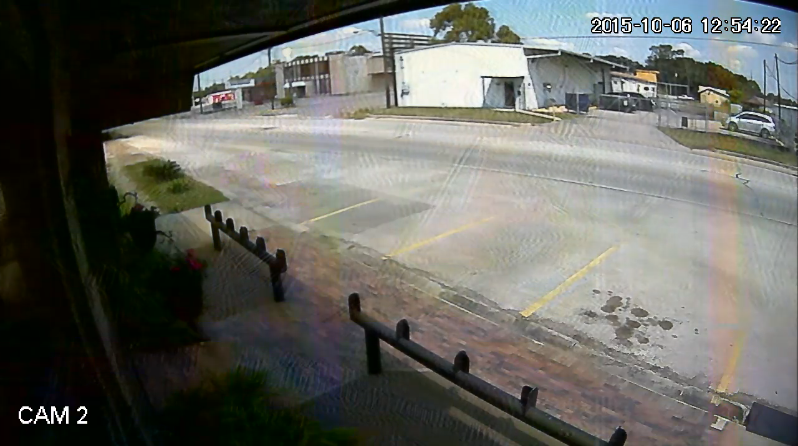
Weather and environment affect image quality. Fog, rain, or snow can blur images. Dust and insects on the lens also cause problems.
Use camera covers or housings to protect your camera. Some housings have heaters or fans to keep the camera clear. Position cameras away from busy roads to reduce dust.
Credit: www.cctvcameraworld.com
Regular Maintenance is Key
To keep image quality high, maintain your CCTV system. Clean lenses and check cables often. Test the system regularly to find problems early. Replace damaged parts as soon as possible.
Summary: Easy Steps to Better CCTV Images
- Clean the camera lens regularly
- Place cameras in good positions
- Improve lighting around the camera
- Adjust camera settings like resolution and brightness
- Use quality cables and connectors
- Consider upgrading old cameras
- Keep system software updated
- Use video enhancement tools if needed
- Protect cameras from weather and dirt
- Perform regular maintenance checks
Following these tips can help you get clearer CCTV images. Clear pictures make your security system more useful. You can see what happens and keep your place safe.
Frequently Asked Questions
How Can I Clean My Cctv Camera Lens Properly?
Use a soft, dry cloth to wipe the lens gently. Avoid harsh chemicals or rough materials.
What Lighting Improves Cctv Camera Image Quality?
Bright, even lighting reduces shadows and noise for clearer images.
Does Camera Resolution Affect Cctv Image Quality?
Yes, higher resolution provides sharper and more detailed video footage.
How Often Should I Update Cctv Camera Firmware?
Check for updates every few months to improve camera performance and fix bugs.