Many Americans want to protect their homes and families with security cameras. But as more people install smart cameras, privacy fears are growing. Most cameras send footage to the internet or the cloud. This means strangers or even companies could see your private moments. If you want to feel safe without giving up your privacy, local storage security cameras offer a more privacy-friendly solution.
Why Local Storage Security Cameras Matter
Local storage security cameras save video on a memory card or a hard drive right in your home. The footage does not go to the cloud. This means only you can access it, unless someone physically takes your device.
Many Americans value their privacy. According to a Pew Research Center survey, over 79% of US adults worry about how their data is used. With a local storage camera, your daily life stays in your hands, not on someone else’s server.
How Local Storage Improves Privacy
When you use a camera with cloud storage, your video uploads to the internet. Hackers have stolen footage from popular brands in the past. Local storage removes this risk. You can watch, save, or delete your footage with no third party involved.
For example, if you have a camera in your living room, only you or someone you trust can review the footage. This prevents accidental leaks, company data breaches, or anyone spying on your home life.

Credit: www.eufy.com
Comparing Local Storage Vs. Cloud Cameras
To help you see the difference, here’s a simple comparison:
| Feature | Local Storage | Cloud Storage |
|---|---|---|
| Privacy | Video stays at home | Video sent over internet |
| Monthly Fees | Usually none | Commonly $3-$15/month |
| Data Breach Risk | Very low | Higher |
What To Look For In A Privacy-friendly Local Camera
Not all cameras are the same. When picking a local storage camera, consider these points:
- Encrypted storage: Does the camera scramble your footage so only you can unlock it?
- No internet needed: Can the camera work even without Wi-Fi?
- Access controls: Is there a password or fingerprint lock?
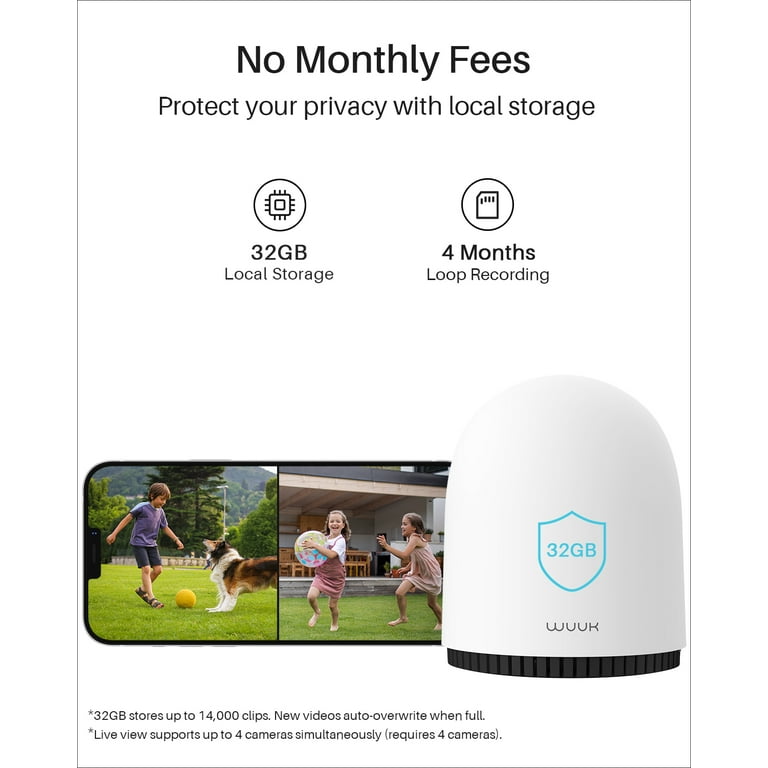
- Storage capacity: Does it use SD cards or a hard drive? How many days of footage can it keep?
Here’s a quick look at features to compare:
| Camera Model | Max Storage | Encryption | Remote Access |
|---|---|---|---|
| Reolink E1 | 256GB SD | Yes | Optional |
| Eufy SoloCam | 128GB SD | Yes | Optional |
| Wyze Cam v3 | 32GB SD | No | Yes |
Credit: www.walmart.com
Common Mistakes When Choosing Cameras
Many buyers think all cameras are private if they use local storage. This is not true. Some cameras store video locally but send clips to the cloud for mobile alerts. Always read the fine print. Also, people forget to change default passwords, making it easier for hackers to get in.
Another mistake is ignoring firmware updates. Keeping your camera’s software up to date closes security holes.
Real-world Example
In 2022, a family in Texas discovered hackers watched their home through a cloud camera. They switched to a local storage model with strong encryption. Since then, they control who sees their footage. This peace of mind is hard to put a price on.
Extra Tips For Maximum Privacy
- Place cameras only where needed—avoid bedrooms or bathrooms.
- Turn off remote viewing if you don’t use it.
- Change passwords often and use two-factor authentication.
- Lock the SD card physically if possible.
For more guidance on digital privacy, visit FTC Consumer Advice.
Frequently Asked Questions
What Is A Local Storage Security Camera?
A local storage security camera saves video on an SD card or a hard drive inside your home, not on the cloud.
Are Local Storage Cameras Safer From Hackers?
Yes, because the video does not travel over the internet, there’s much less risk of hacking.
Do I Need Internet For Local Storage Cameras?
No, most can record and save footage without internet, but some features may require it.
How Long Can Footage Stay On A Local Storage Device?
It depends on the card size and camera quality. Most keep 7–30 days of footage before overwriting.
Can I Watch Footage From My Phone?
Some cameras allow this, but it may reduce privacy. For best privacy, view footage directly from the camera or card.
Security is important, but so is your privacy. Local storage security cameras can help you protect both—giving you confidence and peace of mind at home.
Credit: www.amazon.com