When you want to keep your home or office safe, a CCTV system is a good choice. But, many people wonder what accessories they need for their first CCTV system. This guide will help you understand what parts you need to set up a good CCTV system.
1. CCTV Cameras
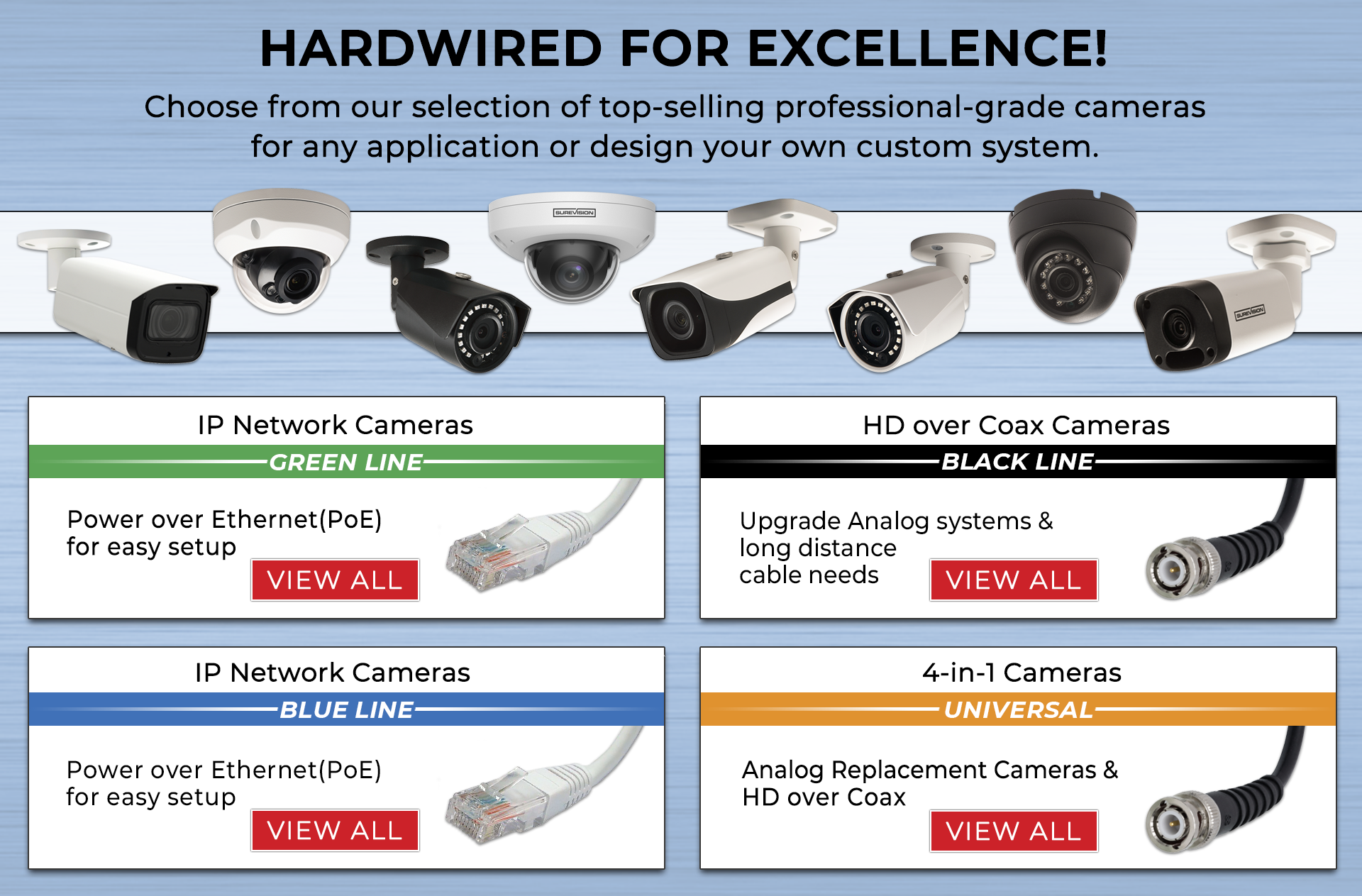
The most important part of the system is the cameras. Without cameras, you cannot see or record anything. There are many types of cameras. Some are small and hidden. Others are big and easy to see. Choose cameras that fit your needs and place.
Types Of Cctv Cameras
- Dome Cameras: Small and round. Good for indoors.
- Bullet Cameras: Long and pointed. Good for outdoors.
- PTZ Cameras: Can move left, right, up, and down.
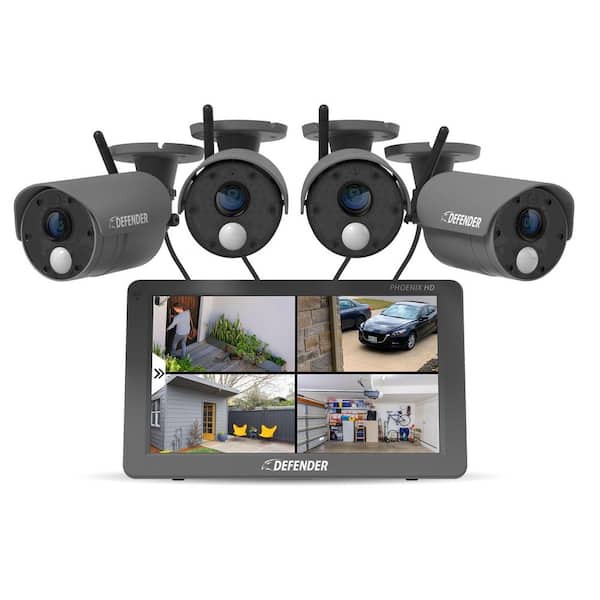
- Wireless Cameras: No wires needed. Easy to install.
2. Digital Video Recorder (DVR) or Network Video Recorder (NVR)
You need a device to save and watch the videos your cameras record. This device is called a DVR or NVR.
DVR: Works with wired cameras. It saves video on a hard drive.
NVR: Works with IP cameras. It connects through the internet.
Choose the right recorder for your cameras. It will store your video safely.
3. Hard Drive
The recorder needs a hard drive to save video files. The hard drive is like a big box where videos live.
Choose a hard drive with enough space. More space means you can keep videos longer.
For a small home, a 1TB or 2TB hard drive is good. For bigger places, choose larger space.
4. Power Supply
Cameras and recorder need power to work. A power supply gives them electricity.
Some cameras get power from the same cable that sends video. This is called PoE (Power over Ethernet).
If your cameras are not PoE, you need a power adapter for each camera.
Check the power needs of your cameras before buying.
5. Cables and Connectors
Wired CCTV systems need cables to connect cameras to the recorder and power supply.
There are different types of cables:
- Coaxial Cable: Used with analog cameras and DVRs.
- Ethernet Cable (Cat5e or Cat6): Used with IP cameras and NVRs.
Also, you need connectors to attach cables to cameras and recorders. Make sure you have the right connectors for your cables.
6. Monitor or Screen
You need a screen to watch the live video or recorded footage. Many people use a TV or computer monitor.
Some recorders come with HDMI or VGA ports. You can connect them to your monitor easily.
If you want to watch videos on your phone or computer, check if your system supports remote viewing.
7. Mounting Brackets and Screws
Cameras must be fixed in place. For this, you need mounting brackets and screws.
Brackets hold the camera steady on walls or ceilings. Screws keep the brackets and cameras in place.
Make sure you get the right brackets for your camera type and wall material.
Credit: www.cctvsecuritypros.com
8. Surge Protector
Electric power can sometimes go up suddenly. This can damage your CCTV system.
A surge protector stops this damage. It protects your cameras and recorder from power spikes.
It is a small and cheap accessory but very useful.
9. Uninterruptible Power Supply (UPS)
Sometimes, power goes off suddenly. This stops your CCTV system from working.
A UPS gives backup power for a short time. It keeps your system running during power cuts.
This accessory is important for places with unstable electricity.
10. Software or Mobile App
Most modern CCTV systems have software or apps. These help you watch live videos on your phone or computer.
Apps let you control cameras, see past videos, and get alerts.
Make sure your system supports software or apps for easy use.
Summary Table: Essential Accessories for Your First CCTV System
| Accessory | Purpose | Notes |
|---|---|---|
| CCTV Cameras | Capture video footage | Choose types based on location |
| DVR / NVR | Record and store videos | Match with camera type |
| Hard Drive | Store video files | Choose enough storage space |
| Power Supply | Provide electricity to devices | PoE or separate adapters |
| Cables and Connectors | Connect cameras and recorder | Coaxial or Ethernet cables |
| Monitor | View live and recorded video | TV or computer monitor works |
| Mounting Brackets and Screws | Fix cameras in place | Match camera and wall type |
| Surge Protector | Protect from power surges | Small cost, big protection |
| UPS | Backup power during outages | Important for unstable power |
| Software or Mobile App | Remote viewing and control | Check system compatibility |
Tips for Choosing Accessories
- Think about where you want to place cameras.
- Decide if you want wired or wireless cameras.
- Check power sources near camera locations.
- Buy good quality cables and connectors.
- Choose a recorder that fits your budget and needs.
- Get accessories that are easy to install and use.
Credit: www.homedepot.com
Frequently Asked Questions
What Basic Accessories Do I Need For My First Cctv System?
Essential accessories include mounting brackets, power adapters, and cables for video and power connections.
Do I Need Extra Storage For My Cctv Recordings?
Yes, a hard drive or memory card helps save recorded footage securely.
Why Are Mounting Brackets Important For Cctv Cameras?
They keep cameras stable and allow for correct positioning and angle adjustments.
Is A Power Adapter Necessary For All Cctv Cameras?
Most cameras need a power adapter to function unless they are battery-powered.
Conclusion
Setting up your first CCTV system needs more than just cameras. You need a recorder, hard drive, power supply, and other parts.
Each accessory plays an important role. They help your system work well and keep your place safe.
Take time to choose the right accessories. This makes installation easier and improves your security.
With the right parts, your CCTV system will watch over your home or office day and night.