Wireless Security Camera System for Home : A Complete Guide
Introduction
In today’s world, home security is more important than ever. A wireless security camera system for home provides homeowners with an easy-to-install and efficient way to monitor their property. Unlike traditional wired systems, wireless cameras offer flexibility, convenience, and modern smart features. Whether you’re looking to improve security, keep an eye on pets, or monitor deliveries, a wireless security camera system is an excellent investment. Lets learn more benefit about Wireless Security Camera System for Home.
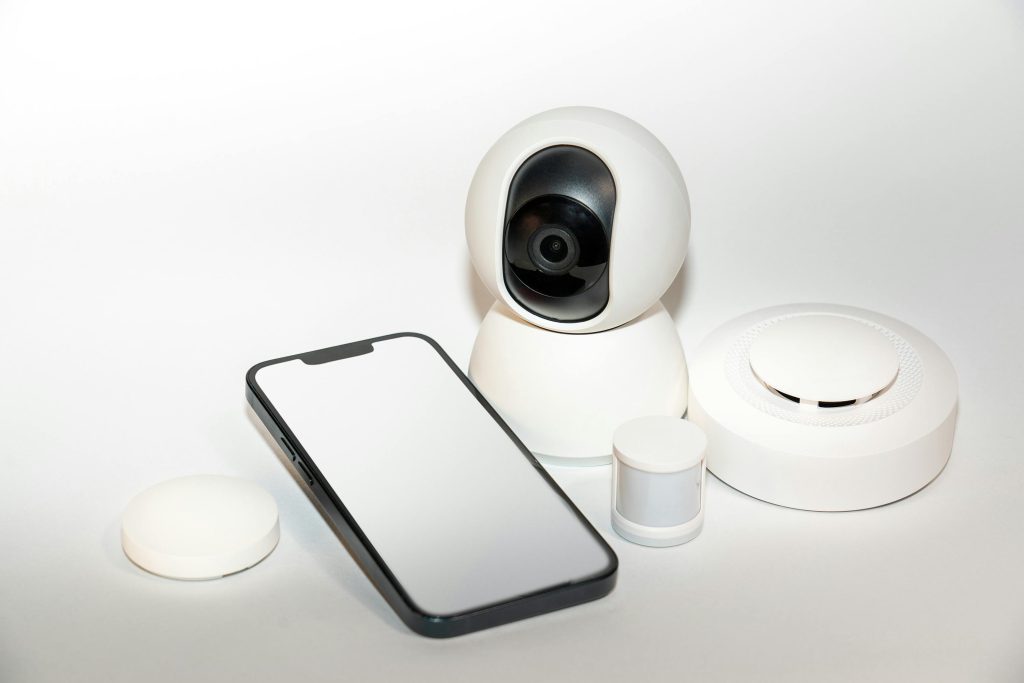
Benefits of a Wireless Security Camera System
- Easy Installation – No complex wiring is needed, making setup quick and hassle-free.
- Remote Monitoring – Access live footage from anywhere using a smartphone or tablet.
- Motion Detection & Alerts – Receive real-time notifications when motion is detected.
- Night Vision – Many models provide clear images even in low-light conditions.
- Two-Way Audio – Some cameras allow you to communicate with visitors or intruders.
- Cloud & Local Storage – Choose between storing footage in the cloud or on a local device.
- Scalability – Easily expand the system by adding more cameras as needed.
Types of Wireless Security Cameras
1. Battery-Powered Wireless Cameras
- Ideal for areas where power outlets are not available.
- Requires periodic battery changes or recharging.
2. Plug-in Wireless Cameras
- Must be connected to a power source but provides continuous operation.
- No need to worry about battery life.
3. Indoor vs. Outdoor Cameras
- Indoor Cameras: Designed for home interiors, usually smaller and more discreet.
- Outdoor Cameras: Built to withstand weather conditions and often include advanced night vision.
4. PTZ (Pan-Tilt-Zoom) Cameras
- Allows remote control of the camera angle and zoom.
- Best for monitoring large areas.
How to Choose the Best Wireless Security Camera System for Your Home
1. Consider Your Security Needs
- Do you need indoor, outdoor, or both types of cameras?
- How many entry points do you want to monitor?
2. Video Quality
- Look for cameras with at least 1080p HD resolution for clear images.
- 4K cameras provide ultra-clear footage but require more storage.
3. Storage Options
- Cloud Storage: Convenient, but may require a subscription.
- Local Storage: More cost-effective, but can be vulnerable to physical damage.
4. Smart Features
- AI-based motion detection to differentiate between people, animals, and objects.
- Integration with smart home systems like Alexa and Google Assistant.
5. Budget
- Wireless camera systems range from budget-friendly options to premium models with advanced features.
- Consider long-term costs such as cloud storage subscriptions.
Best Wireless Security Camera Systems for Home in 2025
1. Arlo Pro 4
- Features: 2K video resolution, color night vision, smart alerts, two-way audio.
- Pros: High video quality, wireless design, AI detection.
- Cons: Cloud storage requires a subscription.
2. Google Nest Cam (Battery)
- Features: AI-powered detection, rechargeable battery, weather-resistant.
- Pros: Works well with Google Home, intelligent alerts.
- Cons: No local storage option.
3. EufyCam 2 Pro
- Features: 2K resolution, local storage, 365-day battery life.
- Pros: No subscription fees, long battery life.
- Cons: Limited smart home integration.
4. Ring Stick Up Cam Battery
- Features: 1080p resolution, motion alerts, two-way talk.
- Pros: Works with Alexa, affordable.
- Cons: Requires a subscription for cloud storage.
Installation and Setup Guide
- Choose Strategic Camera Locations – Cover all entry points and high-traffic areas.
- Mount the Cameras – Use included mounts or adhesive options for easy installation.
- Connect to Wi-Fi – Ensure strong Wi-Fi coverage for smooth operation.
- Configure the Mobile App – Adjust motion detection settings and alerts.
- Test and Adjust – Verify camera angles and ensure clear video quality.
Frequently Asked Questions (FAQs)
1. Do wireless security cameras work without the internet?
Some models can record locally without an internet connection but require Wi-Fi for remote access and alerts.
2. How long do battery-powered security cameras last?
Battery life varies by model but can range from a few weeks to a year.
3. Can hackers access wireless security cameras?
Using strong passwords, encryption, and two-factor authentication reduces the risk of hacking.
Conclusion
A wireless security camera system for home is a smart and convenient way to enhance safety and peace of mind. With a variety of features and price points, there is a solution for every homeowner’s needs. By choosing the right system and installing it properly, you can enjoy round-the-clock surveillance and protection for your home and loved ones.